Example of using library code
So far, we only provide channelmap editing for the Neuropixels probe family, and only the 4-shank Neuropixels probe is tested, so the following example codes use the 4-shank Neuropixels probe as the targeting probe.
Basic
[ ]:
import numpy as np

from neurocarto.probe_npx import *
Create an empty channelmap
[ ]:
s = ChannelMap(24)
s
ChannelMap[4,2,640,384,0]
The above output printed the information of channelmap s, in the format ChannelMap[S,C,R,H,E], where S is the number of total shanks, C is the number of total columns in a shank, R is the number of total rows in a shank, H is the number of total channels, and E is the number of selected electrodes.
For a valid channelmap, H and E should be equal.
Load/Save a channelmap
*.imro (imec read-out file) is the format of the Neuropixels channelmap used by SpikeGLX. detail
[ ]:
# load channelmap from file
s = ChannelMap.from_imro('channelmap.imro')
[ ]:
# save channelmap to file
s.save_imro('channelmap.imro')
Note that if s is incompleted, which means the number of selected electrodes E is not equals to the total channel number H, save_imro will raise an error.
We support read channelmap from different file format.
[ ]:
_ = ChannelMap.from_meta('channelmap.meta') # from meta file from Spike outputs
_ = ChannelMap.parse('(24,384)(...)') # from raw imro table format
We support other output formats. The following code requires to install extra library (as optional dependency).
[ ]:
#!pip install probeinterface
p = s.to_probe() # type: Probe
s = ChannelMap.from_probe(p)
p
Probe - IMEC - Neuropixels 2.0 - Four Shank - Prototype - 384ch - 1shanks
Or other channelmap data output formats.
[ ]:
#!pip install pandas
s.to_pandas() # type: pd.Dataframe
# empty channels use -1
| shank | column | row | in_used | x | y | |
|---|---|---|---|---|---|---|
| channel | ||||||
| 0 | 0 | 0 | 0 | True | 0 | 0 |
| 1 | 0 | 1 | 0 | True | 32 | 0 |
| 2 | 0 | 0 | 1 | True | 0 | 15 |
| 3 | 0 | 1 | 1 | True | 32 | 15 |
| 4 | 0 | 0 | 2 | True | 0 | 30 |
| ... | ... | ... | ... | ... | ... | ... |
| 379 | 0 | 1 | 141 | True | 32 | 2115 |
| 380 | 0 | 0 | 142 | True | 0 | 2130 |
| 381 | 0 | 1 | 142 | True | 32 | 2130 |
| 382 | 0 | 0 | 143 | True | 0 | 2145 |
| 383 | 0 | 1 | 143 | True | 32 | 2145 |
384 rows × 6 columns
[ ]:
#!pip install polars
s.to_polars() # type: pl.DataFrame
# empty channels use null
| channel | shank | column | row | in_used | x | y |
|---|---|---|---|---|---|---|
| i64 | i64 | i64 | i64 | bool | i64 | i64 |
| 0 | 0 | 0 | 0 | true | 0 | 0 |
| 1 | 0 | 1 | 0 | true | 32 | 0 |
| 2 | 0 | 0 | 1 | true | 0 | 15 |
| 3 | 0 | 1 | 1 | true | 32 | 15 |
| 4 | 0 | 0 | 2 | true | 0 | 30 |
| 5 | 0 | 1 | 2 | true | 32 | 30 |
| 6 | 0 | 0 | 3 | true | 0 | 45 |
| 7 | 0 | 1 | 3 | true | 32 | 45 |
| 8 | 0 | 0 | 4 | true | 0 | 60 |
| 9 | 0 | 1 | 4 | true | 32 | 60 |
| 10 | 0 | 0 | 5 | true | 0 | 75 |
| 11 | 0 | 1 | 5 | true | 32 | 75 |
| … | … | … | … | … | … | … |
| 372 | 0 | 0 | 138 | true | 0 | 2070 |
| 373 | 0 | 1 | 138 | true | 32 | 2070 |
| 374 | 0 | 0 | 139 | true | 0 | 2085 |
| 375 | 0 | 1 | 139 | true | 32 | 2085 |
| 376 | 0 | 0 | 140 | true | 0 | 2100 |
| 377 | 0 | 1 | 140 | true | 32 | 2100 |
| 378 | 0 | 0 | 141 | true | 0 | 2115 |
| 379 | 0 | 1 | 141 | true | 32 | 2115 |
| 380 | 0 | 0 | 142 | true | 0 | 2130 |
| 381 | 0 | 1 | 142 | true | 32 | 2130 |
| 382 | 0 | 0 | 143 | true | 0 | 2145 |
| 383 | 0 | 1 | 143 | true | 32 | 2145 |
Select electrodes manually
Select an electrode as a readout channel
[ ]:
s = ChannelMap(24)
e = s.add_electrode((0, 0, 0)) # select an electrode at shank 0, column 0 and row 9
e
Electrode[0,0,0]
The above output printed the information of an electrode in format Electrode[S,C,R], where S is shank index, C in column index, and R is row index.
If a channel has been used, then you cannot select coorespond electrodes. A ChannelHasUsedError will be raised.
[ ]:
s = ChannelMap.from_imro('channelmap.imro')

try:
    s.add_electrode((0, 0, 0))
except ChannelHasUsedError as x:
    print(repr(x))
    print(x.electrode)
ChannelHasUsedError('Electrode[0,0,0]')
Electrode[0,0,0]
To ignore the selected electrode, you can use the exist_ok keyword in the add_electrode method.
[ ]:
s = ChannelMap.from_imro('channelmap.imro')
e = s.add_electrode((0, 0, 0), exist_ok=True)
print(e)
Electrode[0,0,0]
It could still raises a ChannelHasUsedError if the newly selected electrode will violate the hardware restriction. In the Neuropixels case, it means both electrodes are shared same channel. ChannelMap does not allow electrode overwriting, so you need to remove the previous one and re-select the new one.
[ ]:
s = ChannelMap.from_imro('channelmap.imro')
e = None
try:
    s.add_electrode((1, 0, 0))
except ChannelHasUsedError as x:
    print(repr(x))
    s.del_electrode(x.electrode)
    e = s.add_electrode((1, 0, 0))
print(e)
ChannelHasUsedError('Electrode[0,0,144]')
Electrode[1,0,0]
Access electrodes from a channelmap
Access the selected electrode via its channel ID.
[2]:
s = ChannelMap.from_imro('channelmap.imro')
print(s.channels[0])
print(s.channels[0:3])
Electrode[0,0,0]
[Electrode[0,0,0], Electrode[0,1,0], Electrode[0,0,1]]
Access the selected electrodes via its position.
[3]:
print(s.electrodes[0, 0, 0]) # shank, column, row
print(s.electrodes[0, 0, 0:3])
Electrode[0,0,0]
[Electrode[0,0,0], Electrode[0,0,1], Electrode[0,0,2]]
Both properties channels and electrodes are iterable, which they can be put in the for loop. Both yeild electrode in the same order. The difference is channels may yield None.
[10]:
del s.channels[1] # remove an electrode
for c, e in enumerate(s.channels):
    print(c, e, end='; ')
    if c >= 3: print(); break;
for i, e in enumerate(s.electrodes):
    print(i, e, end='; ')
    if i >= 3: break;
0 Electrode[0,0,0]; 1 None; 2 Electrode[0,0,1]; 3 Electrode[0,1,1];
0 Electrode[0,0,0]; 1 Electrode[0,0,1]; 2 Electrode[0,1,1]; 3 Electrode[0,0,2];
Set electrode’s parameters
[ ]:
s = ChannelMap.from_imro('channelmap.imro')
print(s.channels[0].in_used, s.channels[1].in_used)

# one by one
s.channels[0].in_used = False
print(s.channels[0].in_used)

# by a reference
e = Electrode(0, 0, 0)
e.in_used = False
s.channels[:] = e # apply to all selected electrodes
print(s.channels[1].in_used)
True True
False
False
Electrode positions
You can use properties channel_pos_x, channel_pos_y, and channel_pos to get electrodes position in um. The missing electrode will be filled with nan.
[ ]:
s = ChannelMap.from_imro('channelmap.imro')
p = s.channel_pos # a (C, 2) position (um) array
print(p.shape)
p[:10, :]
(384, 2)
array([[ 0,  0],
       [32,  0],
       [ 0, 15],
       [32, 15],
       [ 0, 30],
       [32, 30],
       [ 0, 45],
       [32, 45],
       [ 0, 60],
       [32, 60]])
Besides above instance properties, we also provide two position functions for more options on return.
[26]:
from neurocarto.probe_npx.npx import channel_coordinate, electrode_coordinate

c = channel_coordinate(s)
print('Array[int, E, (S, C, R)]', c.shape)
print(c[:4])

c = channel_coordinate(s, electrode_unit='xy')
print('Array[int, E, (X, Y)]', c.shape)
print(c[:4])

c = electrode_coordinate(s)
print('Array[int, E, (S, C, R)]', c.shape)
print(c[:4])

c = electrode_coordinate(s, electrode_unit='xy')
print('Array[int, E, (X, Y)]', c.shape)
print(c[:4])
Array[int, E, (S, C, R)] (384, 3)
[[ 0.  0.  0.]
 [nan nan nan]
 [ 0.  0.  1.]
 [ 0.  1.  1.]]
Array[int, E, (X, Y)] (384, 2)
[[ 0.  0.]
 [nan nan]
 [ 0. 15.]
 [32. 15.]]
Array[int, E, (S, C, R)] (5120, 3)
[[0 0 0]
 [0 1 0]
 [0 0 1]
 [0 1 1]]
Array[int, E, (X, Y)] (5120, 2)
[[ 0  0]
 [32  0]
 [ 0 15]
 [32 15]]
Plotting
[17]:
import matplotlib
import matplotlib.pyplot as plt
from neurocarto.probe_npx import plot

%matplotlib inline
rc = matplotlib.rc_params_from_file('channelmap.matplotlibrc', fail_on_error=True, use_default_template=True)
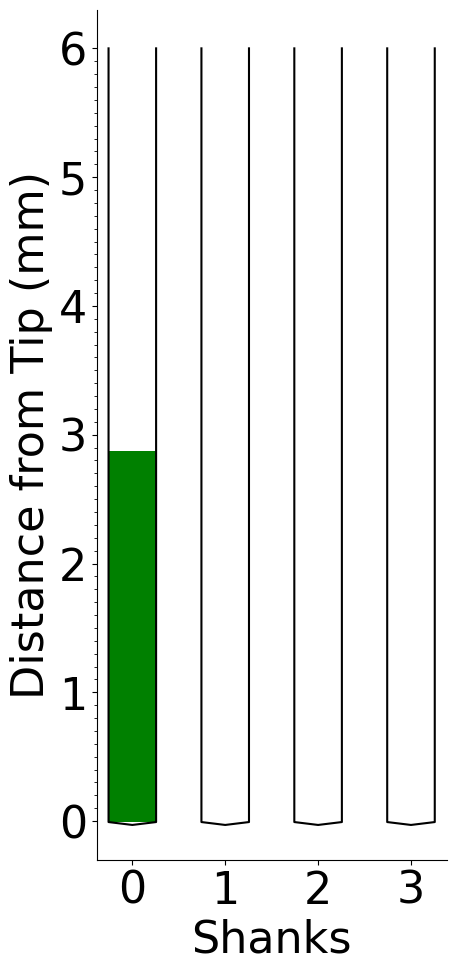
plot a channelmap.
[7]:
s = ChannelMap.from_imro('channelmap.imro')

with plt.rc_context(rc):
    fg, ax = plt.subplots()
    plot.plot_channelmap_block(ax, s, height=6, color='g', shank_width_scale=2)
    plot.plot_probe_shape(ax, s, height=6, color='k', label_axis=True, shank_width_scale=2)

plt.show()
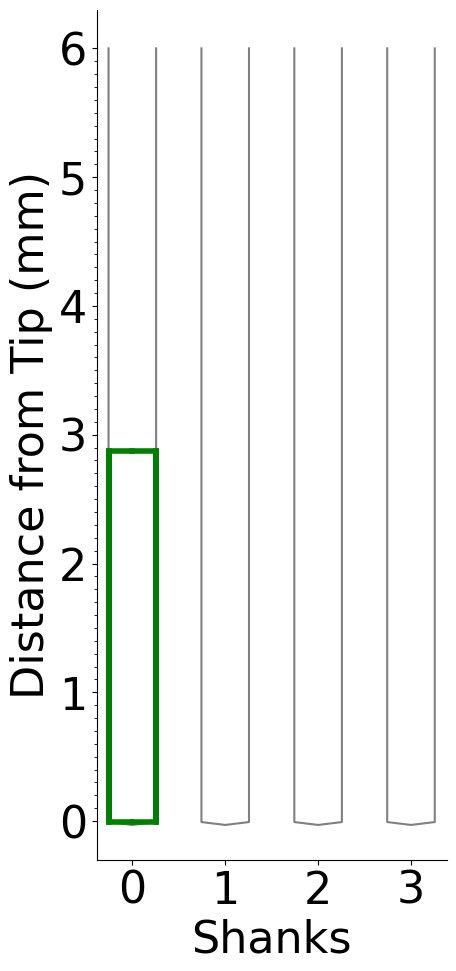
plot a channelmap in other style.
[8]:
s = ChannelMap.from_imro('channelmap.imro')

with plt.rc_context(rc):
    fg, ax = plt.subplots()

    plot.plot_probe_shape(ax, s, height=6, color='gray', label_axis=True, shank_width_scale=2)
    plot.plot_channelmap_grid(ax, s, height=6, color='g', lw=4, shank_width_scale=2)


plt.show()
Generate a Channelmap
We provide some builtin channelmaps.
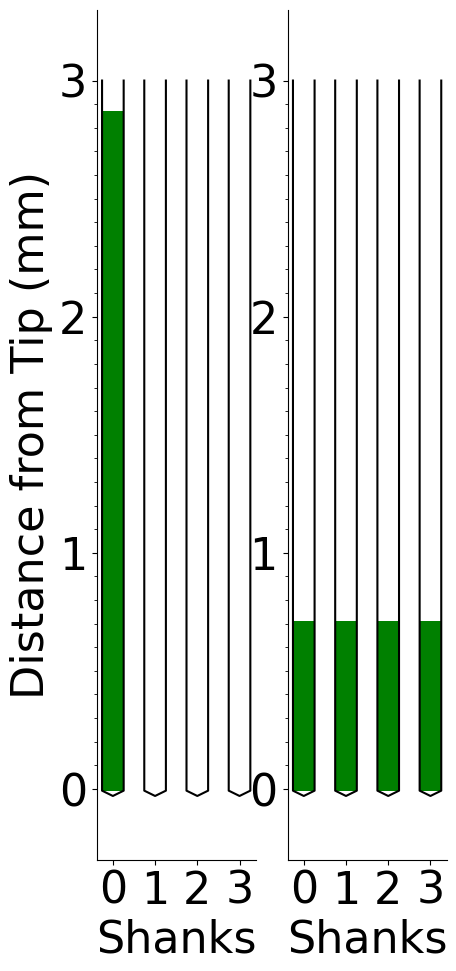
Block-based channelmap
[13]:
with plt.rc_context(rc):
    fg, ax = plt.subplots(1, 2)
    kwargs = dict(height=3, shank_width_scale=2)

    s = npx24_single_shank(0)
    plot.plot_channelmap_block(ax[0], s, color='g', **kwargs)
    plot.plot_probe_shape(ax[0], s, color='k', label_axis=True, **kwargs)

    s = npx24_stripe(0)
    plot.plot_channelmap_block(ax[1], s, color='g', **kwargs)
    plot.plot_probe_shape(ax[1], s, color='k', label_axis=True, **kwargs)
    ax[1].set_ylabel(None)

plt.show()
Uniform channelmaps
All selected electrodes are distributed uniformly in a particular density.
[22]:
ss = [
    # 1/2
    npx24_half_density(shank=0),
    npx24_half_density(shank=(0, 1)),
    # 1/4
    sq := npx24_quarter_density(shank=0),
    npx24_quarter_density(shank=(0, 2)),
    npx24_quarter_density(None),
    # 1/8
    npx24_one_eighth_density()
]

with plt.rc_context(rc):
    fg, ax = plt.subplots(1, len(ss), figsize=(3 * len(ss), 10))
    kwargs = dict(height=6, shank_width_scale=2)

    for i, s in enumerate(ss):
        plot.plot_channelmap_block(ax[i], s, color='g', **kwargs)
        plot.plot_probe_shape(ax[i], s, color='k', label_axis=True, **kwargs)
        if i > 0: ax[i].set_ylabel(None)

plt.show()
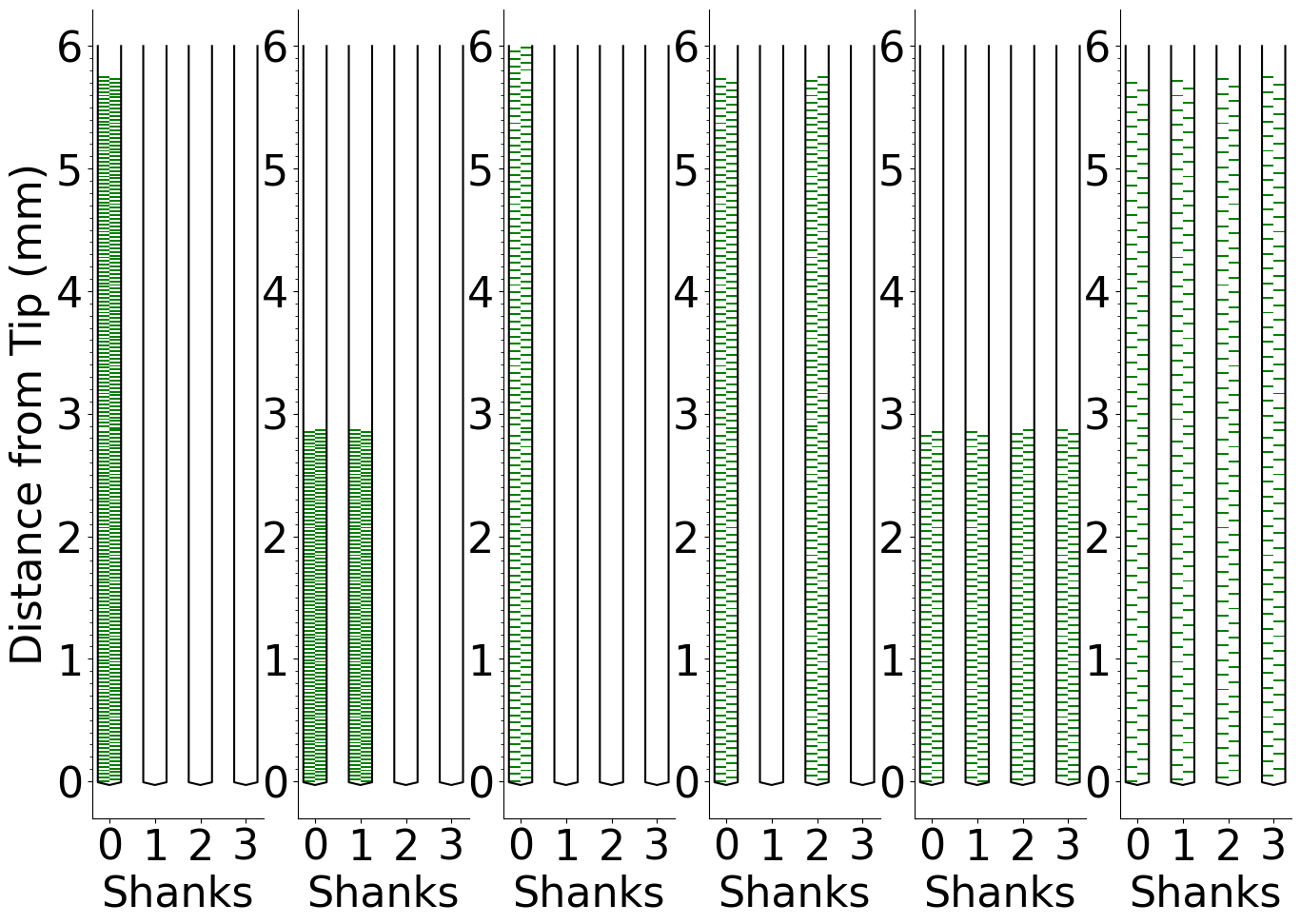
Notice the the channelmap sq (the third map) is an incompleted channelmap, because its number of selected electrodes do not reach the number of required channels.
[16]:
sq
[16]:
ChannelMap[4,2,640,384,320]
Generate a custom channelmap with a given blueprint
[35]:
from neurocarto.probe_npx.desp import NpxProbeDesp, NpxElectrodeDesp
[34]:
D = NpxProbeDesp()
C: ChannelMap = ChannelMap.from_imro('Fig3_example.imro')
Q: list[NpxElectrodeDesp] = D.load_blueprint('Fig3_example.blueprint.npy', C)
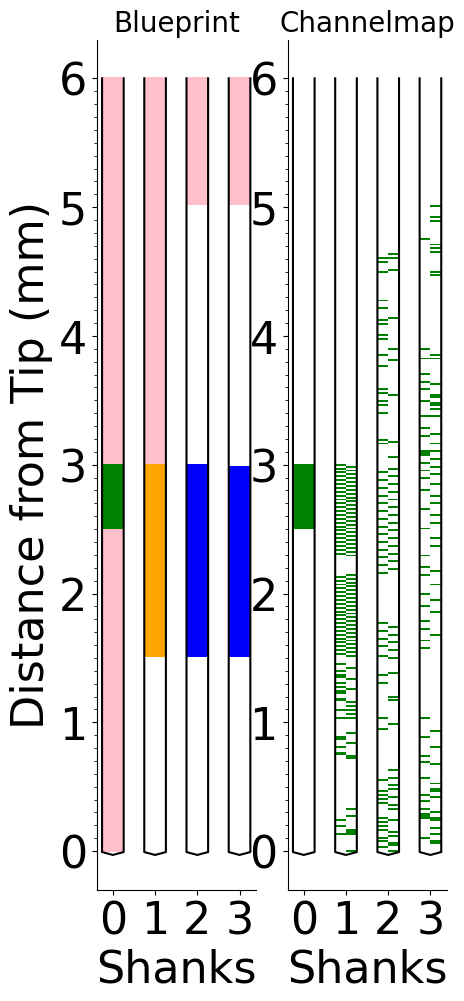
A blueprint Q is loaded from a file. It is not easy to make a new blueprint from zero. It is more easy to make a new one from the application.
Electrode selection
[43]:
s = D.select_electrodes(C, Q)

with plt.rc_context(rc):
    fg, ax = plt.subplots(1, 2)
    kwargs = dict(height=6, shank_width_scale=2)

    plot.plot_category_area(ax[0], C.probe_type, Q, **kwargs)
    plot.plot_probe_shape(ax[0], C, color='k', label_axis=True, **kwargs)
    ax[0].set_title('Blueprint', fontdict=dict(fontsize=20))

    plot.plot_channelmap_block(ax[1], s, color='g', **kwargs)
    plot.plot_probe_shape(ax[1], s, color='k', label_axis=True, **kwargs)
    ax[1].set_ylabel(None)
    ax[1].set_title('Channelmap', fontdict=dict(fontsize=20))

plt.show()